

Introduction
Every minute, websites around the world face thousands of hacking attempts. Whether you run a small blog, growing business site, or a large e-commerce platform, your website is always a target for cybercriminals. Hackers try to steal data, inject malware, break your site, or use your server resources for illegal activities.
According to global cybersecurity reports, 43% of cyberattacks target small websites, and most owners don’t even realize their site was hacked until the damage is done.
This guide provides a complete, practical, step-by-step security checklist designed for beginners and professionals.
By the end of this guide, you will know exactly how to secure any website in 2025—WordPress, custom development, e-commerce, or SaaS.
1. Use HTTPS with SSL Certificate (Non-HTTPS Sites Get Attacked 3× More)

HTTPS encrypts communication between users and your website, protecting data from being intercepted.
Why SSL is important
- Secure login and form submissions
- Prevents data theft
- Boosts Google ranking
- Trust factor for customers
Types of SSL
- Free SSL: Let’s Encrypt
- Premium SSL: EV SSL for e-commerce & banking
Checklist
✔ Install SSL
✔ Redirect all pages from HTTP → HTTPS
✔ Scan regularly for SSL expiration
2. Keep Your Website Platform, Themes & Plugins Updated
Outdated software is the #1 reason websites get hacked.
Risks of outdated components
- Vulnerabilities in old code
- Backdoor access for hackers
- Malware injection possibilities
Checklist
✔ Update CMS (WordPress, Joomla, Shopify)
✔ Update plugins weekly
✔ Remove unused plugins/extensions completely
✔ Use official libraries only
3. Use Strong, Unique Passwords + Two-Factor Authentication (2FA)
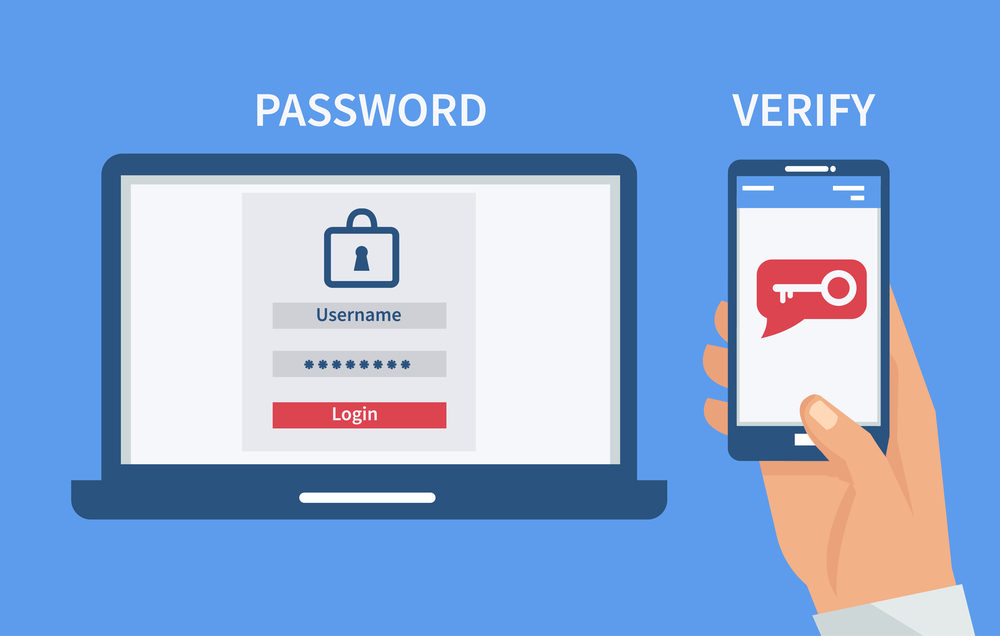

Weak passwords are the easiest way hackers break into websites.
What strong security looks like
- 12–16 characters
- Mix of symbols, numbers, uppercase & lowercase
- No dictionary words
Use 2FA for
- Admin accounts
- Hosting panel
- FTP/SFTP
- Email accounts
Tools
- Google Authenticator
- Authy
- Microsoft Authenticator
4. Install a Web Application Firewall (WAF)
A Firewall filters all malicious traffic before it reaches your website.
What WAF protects against
- SQL Injection
- Brute-force attacks
- DDoS attacks
- Cross-site scripting (XSS)
Recommended WAF services
- Cloudflare
- Sucuri Firewall
- Wordfence (for WordPress)
Checklist
✔ Turn on Bot Protection
✔ Enable Rate Limiting
✔ Block repeated failed login attempts
5. Protect Against Malware & Run Daily Security Scans


Malware can infect your website silently.
Common malware types
- Redirect malware
- Backdoors
- Trojan scripts
- SEO spam
- Credit card skimmers
Recommended scanners
- Sucuri SiteCheck
- Wordfence
- Imunify360
- Astra Security
Checklist
✔ Daily scans
✔ Automatic malware cleanup
✔ Immediate alert notifications
6. Secure Your Hosting Environment
Your website is only as secure as your hosting provider.
Choose hosting with
- Firewalls
- Malware detection
- Daily backups
- DDoS protection
- SFTP/SSH access
Checklist
✔ Disable PHP execution in upload folders
✔ Restrict file permissions (644 / 755)
✔ Turn off directory listing
7. Backup Your Website Regularly (Cloud + Local)
Backups are your lifesaver in case of hacking.
Types of backups
- Full website backup
- Database backup
- File system backup
Where to store backups
- Google Drive
- Dropbox
- Hosting panel
- Offline hard drive
Checklist
✔ Backup daily/weekly
✔ Store multiple copies
✔ Test restore capability
8. Implement Secure Login Practices


Hackers frequently target admin login pages.
Security practices
- Change URL from /wp-admin or /admin
- Limit login attempts
- Block login from unknown countries
- Log every admin activity
Checklist
✔ CAPTCHA on login
✔ Block IP after 3 failed logins
✔ Disable XML-RPC (WordPress)
9. Protect Against SQL Injection & XSS Attacks
SQL Injection allows hackers to manipulate your database.
XSS injects malicious scripts into your site.
Checklist
✔ Use parameterized queries
✔ Validate all form inputs
✔ Escape user-generated data
✔ Disable unsafe PHP functions
Tools
- OWASP ZAP
- Burp Suite
10. Use Content Delivery Network (CDN) for DDoS Protection
A CDN absorbs large volumes of traffic and protects your site from heavy attacks.
Best CDNs
- Cloudflare
- Akamai
- Fastly
Benefits
- Faster website loading
- Prevents large-scale DDoS attacks
- Global security coverage
11. Secure Your Database
Your database stores your most sensitive data.
Checklist
✔ Change default database prefix
✔ Use strong DB passwords
✔ Restrict DB user privileges
✔ Disable remote database access
12. Monitor Your Website 24/7 (Security Alerts)

Real-time monitoring stops attacks immediately.
What to monitor
- File changes
- Login attempts
- Blacklist status
- Traffic spikes
- Suspicious IPs
Tools
- UptimeRobot
- Sucuri
- New Relic
- Cloudflare Security Dashboard
13. Ensure Secure Coding Practices (For Developers)
If your site is custom-built:
Secure coding rules
- Avoid eval() and base64_decode() misuse
- Sanitize all inputs
- Use prepared statements
- Store passwords with bcrypt
- Implement token-based authentication
14. Remove Unused User Accounts & Assign Proper Roles
Old accounts are a huge risk.
Checklist
✔ Delete inactive accounts
✔ Limit admin access
✔ Use proper roles (Editor, Author, Viewer)
✔ Log admin actions
15. Protect File Uploads
Uploads are the most dangerous entry point.
Checklist
✔ Allow only specific file types
✔ Scan files before upload
✔ Rename uploaded files
✔ Use isolated upload directories
16. Enable Hotlink Protection
Prevents hackers from stealing your images and server bandwidth.
17. Scan for Vulnerabilities Regularly
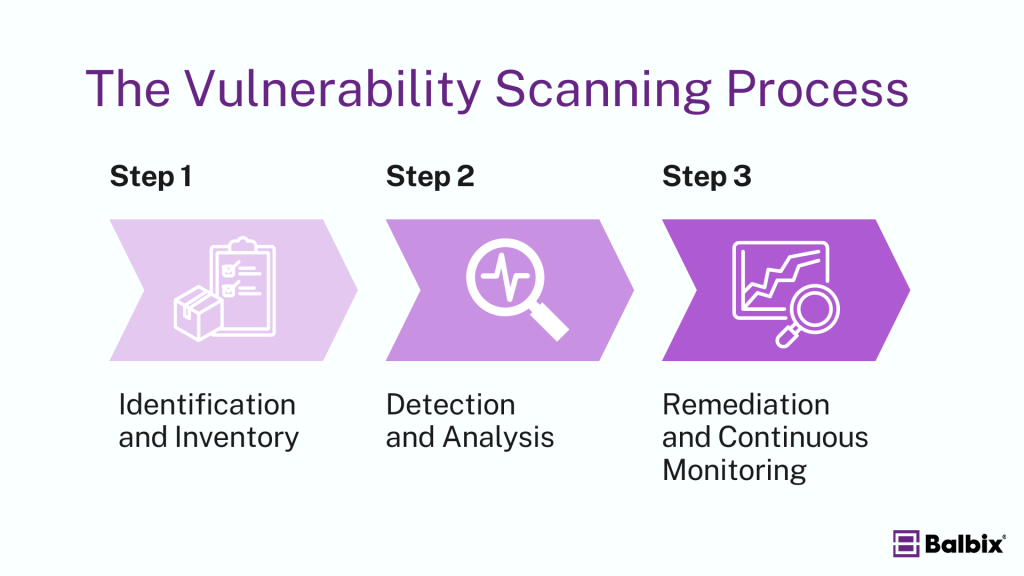
Tools
- Qualys
- Nessus
- Acunetix
Checklist
✔ Monthly vulnerability scans
✔ Fix high-risk issues immediately
18. Protect Email Accounts Linked to Website
Hackers can enter your website through email.
Checklist
✔ Use 2FA
✔ Avoid shared credentials
✔ Enable spam filters
✔ Disable IMAP if not needed
19. Secure API Connections
APIs must be protected to avoid unauthorized access.
Checklist
✔ Use API keys
✔ Rotate keys every 30–60 days
✔ Limit API requests per IP
✔ Enable HTTPS for all API calls
20. Final Security Checklist (2025 Standard)
✔ SSL Installed
✔ Firewall Enabled
✔ Daily Backups
✔ Updated Plugins & Themes
✔ Malware Scanner Active
✔ Secure Hosting
✔ 2FA on all accounts
✔ Login Protection
✔ Database Secured
✔ CDN + DDoS Protection
✔ Vulnerability Scans
✔ Real-Time Monitoring
Conclusion
Website security is not a one-time task — it’s an ongoing responsibility.
Hackers evolve every day, but with proper protection, your website will stay safe, fast, and reliable for your visitors and customers.
By implementing this complete security checklist, you reduce hacking risk by over 95%, protect your data, and build long-term trust.





Leave a Reply